Reverse Engineering an Akaso EK7000 Camera
Introduction
My daughter wanted to take photos at camp this summer, which incorporated a multi-day portaging/canoe trip, and no phones allowed. I picked up a cheap action camera on Amazon, an Akaso EK7000: Amazon link, Akaso link. When she got back, she dumped all her photos from its MicroSD card, and then it was available for me to play with!
It has a wi-fi mode, and sets itself up as a wi-fi hot spot - it is designed such that you connect to it with your phone, and control it with the “Akaso Go” app. Connecting to it with my laptop, I could guess some basic controls (192.72.1.1 is its IP, /index.html reveals some basic information). But I can’t see or guess any useful controls. Ultimately, I want to download photos and view live video on my laptop - like I can with the phone app.
Decompiling the Android App
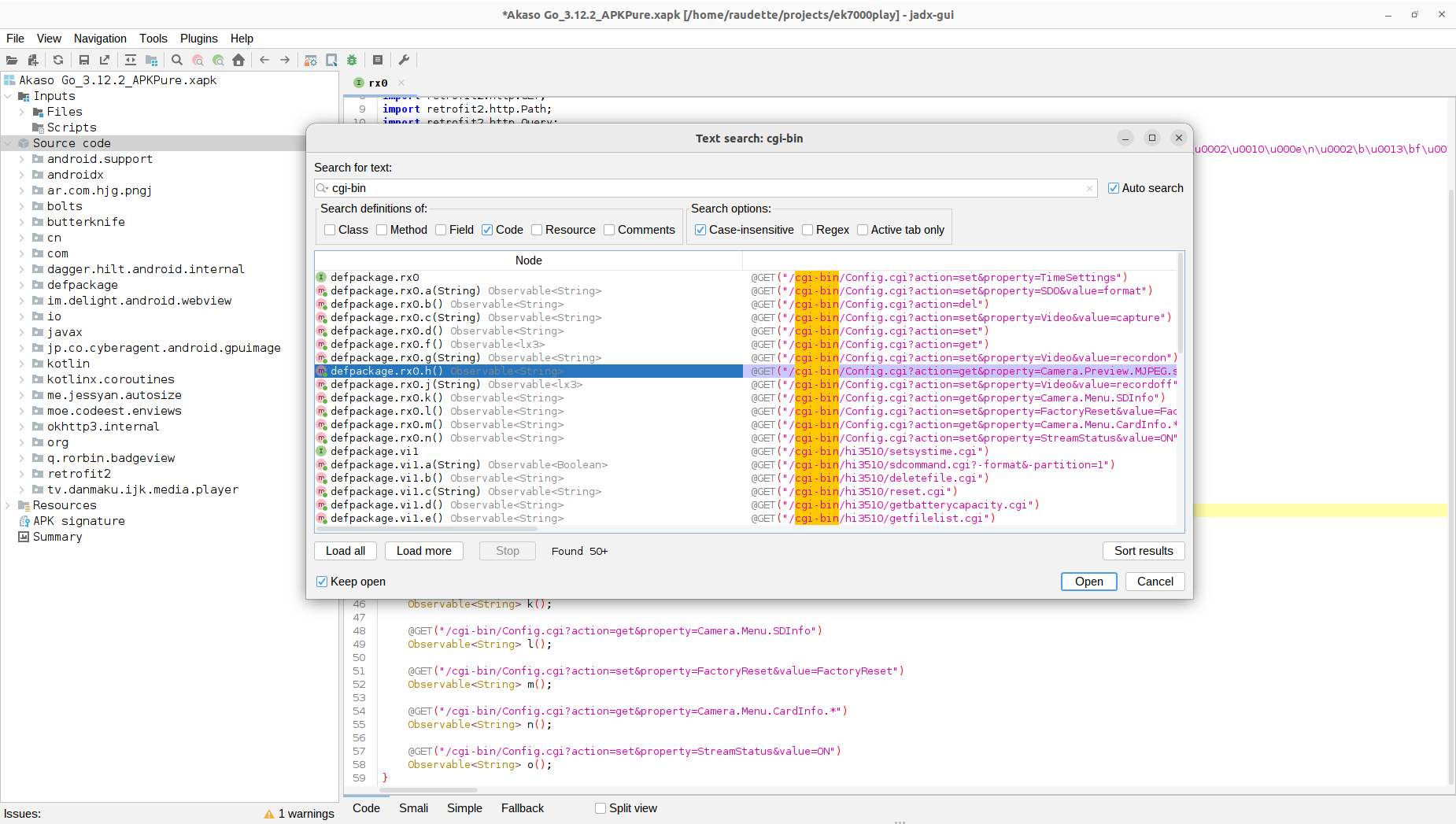
I decided to start looking at the Akaso Go app - I had never done this before, but I got the .APK/Android app from a site called apkpure.com. After reading a few tutorials, I decided to try and open it with the jadx decompiler. I was surprised with how much useful information was in the decompiled source.
Disassembling Akaso Go with Jadx
I wanted to discover the HTTP GET commands for pulling photos off the camera. I tried searching for:
- ek7000 (the app supports multiple Akaso cameras)
- cgi-bin
- 192.72.1.1
Whenever I found a URL in the source, I’d put into a browser and tried to see what the camera would return.
But I was not able to find how the app pulled photos from the camera.
Creating A Fake Camera
So I decided to try something else. I setup a Raspberry Pi as a wi-fi hot spot, with a configuration that matched the Akaso EK7000. On Raspbian Bookworm:
|
|
To match the IP configuration of the Akaso, the [ipv4] section /etc/NetworkManager/system-connections/Hotspot.nmconnection has to be modified as follows:
|
|
Disable and then re-enable the hot spot:
|
|
fakecam.js app logging and responding to HTTP requests
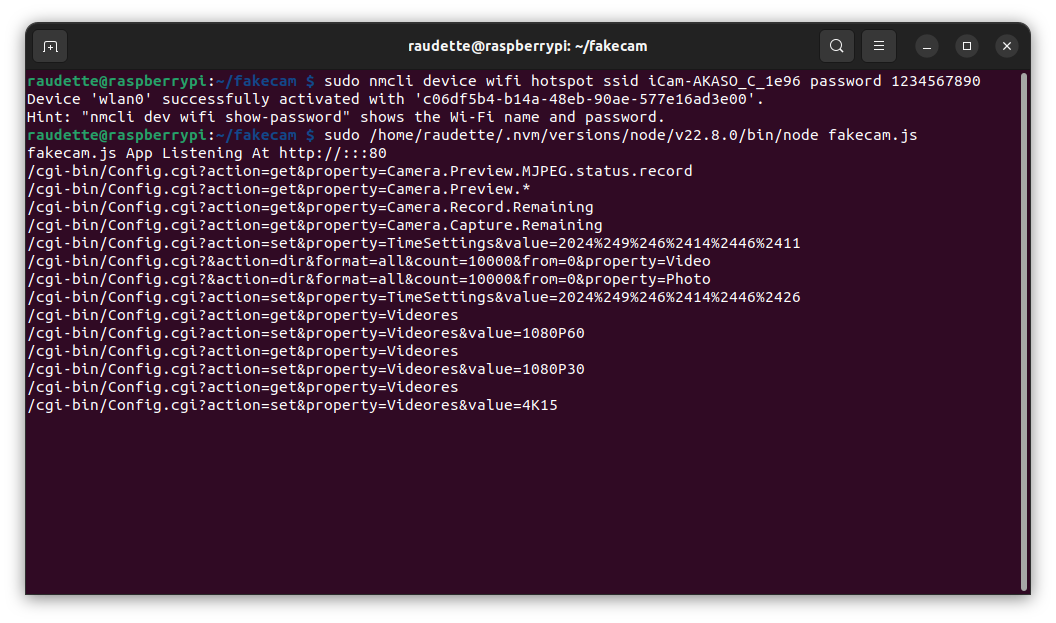
I then wrote a simple NodeJS application, “fakecam.js”, that logged and could respond to HTTP requests. I gradually expanded the NodeJS app to respond like the camera did, until I learned all the important HTTP requests as follows:
- Connect Akaso Go app to Pi.
- Take the app as far as it will go before it stops. Log all HTTP requests
- Connect laptop to the Akaso Camera, run HTTP requests from step 2
- Update the “fakecam” app to respond to HTTP requests from step 2, as the Akaso camera did
- Restart at step 1
After a few iterations, my fakecam.js app progressed to the point where I could try to open the camera gallery in Akaso Go, and I discovered the HTTP calls for those commands. It might be useful as a starting point for reverse engineering the protocol between other apps & devices - it can be downloaded here: fakecam.zip download.
Retrieving Photos and Videos from the Akaso EK7000
Here’s how to retrieve photos and videos from the Akaso EK7000’s wi-fi hotspot.
- Connect to the Akaso EK7000 hot spot with your laptop
- From a browser, load the photo file list from this URL: http://192.72.1.1/cgi-bin/Config.cgi?&action=dir&format=all&count=10000&from=0&property=Photo
- From a browser, load the video file list from this URL: http://192.72.1.1/cgi-bin/Config.cgi?&action=dir&format=all&count=10000&from=0&property=Video
This returns XML files that look like this:
|
|
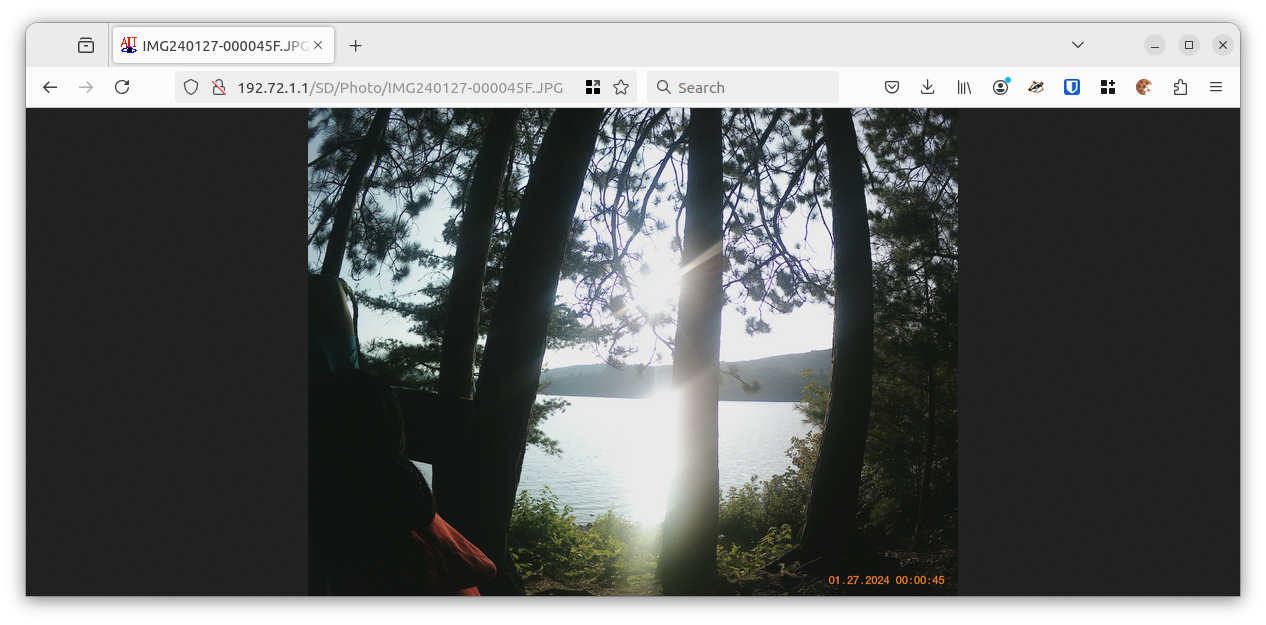
- You can then retrieve individual files by their name, like http://192.72.1.1/SD/Photo/IMG240127-000045F.JPG
Imaged Downloaded from Camera in Browser
Streaming video from the Akaso EK7000
This turned out to be easier than I expected. Running an nmap network scan against the device early in the process, I saw that network port 554 was open on the device, which nmap identified as for RTSP (Real-Time Streaming Protocol). I searched the disassembled Akaso Go source code for RTSP, and found the following URL:
rtsp://192.72.1.1:554/liveRTSP/av4

EK7000 video stream in VLC
I opened this URL as a network stream in VLC, and it worked! With another iteration of my fakecam.js app, I uncovered the URL for setting the stream resolution and frames per second:
http://192.72.1.1/cgi-bin/Config.cgi?action=set&property=Videores&value=1080P60 - where 1080P60 sets the video stream for 1080P, 60 frames per second.
Update 2026-01-31 - Akaso Firmware Updates
I received an email from someone who’s Akaso EK7000 worked differently from mine - none of the links I found above worked with THEIR EK7000. My camera, and the findings above, are based on firmware version DLC7789IPS135V3. Their camera reported firmware version SN-53-250802-V1. They were wanting to get streaming video from their camera. They shared that, when connected to their camera’s wifi, the camera’s IP was 192.168.169.1 (different from mine), and port 554 wasn’t open. I didn’t have access to their camera, so I opened the Akaso Go app in the jadx decompiler, and searched for 192.168.169.1.
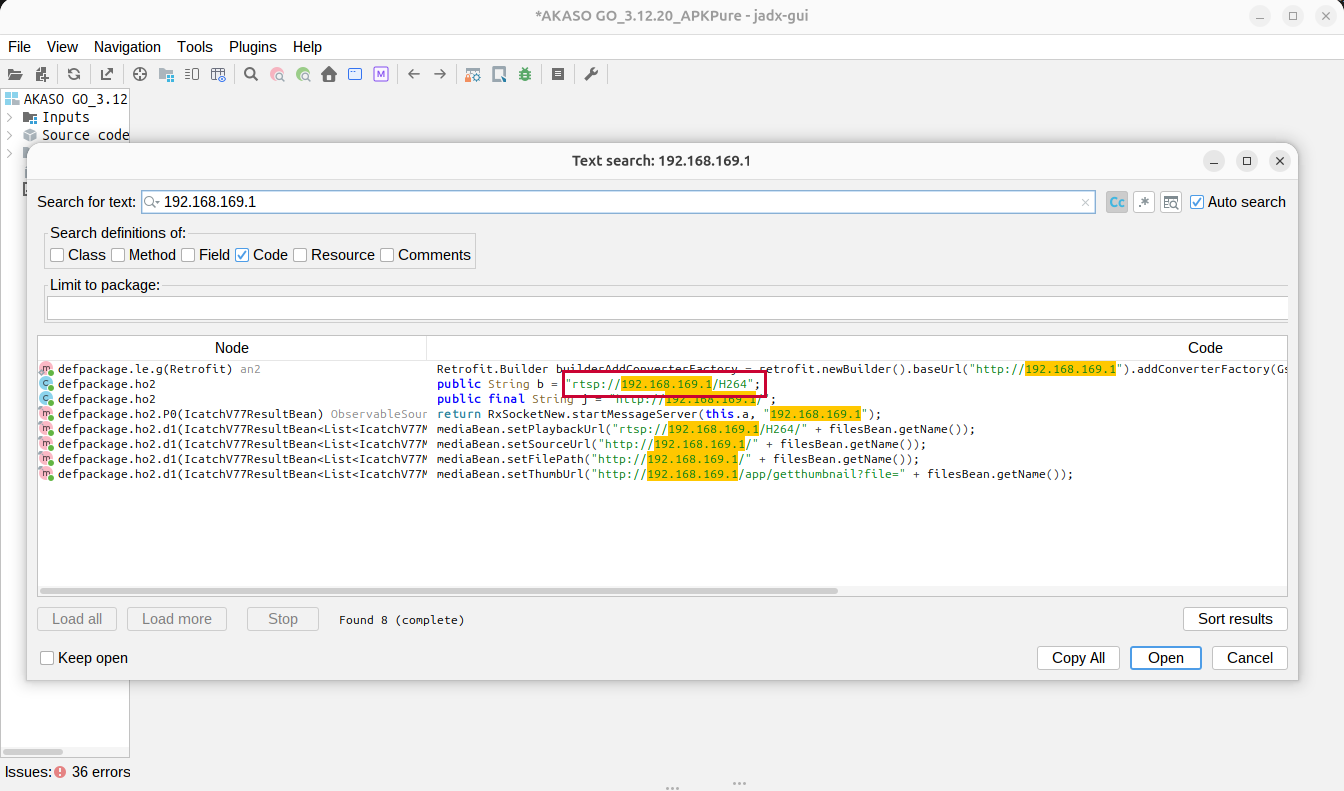
Searching for camera endpoints with an IP in jadx
The Akaso Go app had a reference to rtsp://192.168.169.1/H264 - they tried this link with their camera, and they were able to stream video from their camera to VLC - and, more importantly for them, to opencv-python’s VideoCapture too.
My findings might not be relevant to your camera, even if it is an EK7000, but you can use the same techniques to uncover how your camera’s app interface works.